By using this site, you agree to the Privacy Policy and Terms of Use.
Accept
Techticia.comTechticia.comTechticia.com
  • Home
  • Recent
  • Jobs
  • Categories
    • AI
    • Amazon
    • Android
    • Apple
    • Apps
    • Crypto
    • Enterprise
    • Entertainment
    • EVs
    • Fintech
    • Gadget
    • Gadgets
    • Gaming
    • Google
    • Hardware
    • Meta
    • Microsoft
    • Mobile
    • Privacy
    • Security
    • Socials
    • SpaceX
  • Pages
    • Privacy Policy
    • About Us
    • Contact Us
    • Terms and Conditions
Search
Emerging Tech
  • Biotech & Health
  • Drones
  • Robotics
  • Space
  • Wearables
  • Tech News
  • Technology
Business & Policy
  • Commerce
  • Fundraising
  • Government & Policy
  • Policy & Regulations
  • Venture
  • Startups
Mobility & Culture
  • Climate
  • Entertainment
  • EVs
  • Media & Entertainment
  • Robotaxis
  • Transportation
  • Contact
  • Blog
  • Complaint
  • Advertise
© 2026 Techticia.com. All Rights Reserved.
Reading: WhatsApp Parent-Managed Accounts: Setup Guide & Safety Tips
Share
Sign In
Notification Show More
Font ResizerAa
Techticia.comTechticia.com
Font ResizerAa
  • Tech News
  • Gadget
  • Technology
  • Mobile
Search
  • Home
  • Recent
  • Jobs
  • Categories
    • AI
    • Amazon
    • Android
    • Apple
    • Apps
    • Crypto
    • Enterprise
    • Entertainment
    • EVs
    • Fintech
    • Gadget
    • Gadgets
    • Gaming
    • Google
    • Hardware
    • Meta
    • Microsoft
    • Mobile
    • Privacy
    • Security
    • Socials
    • SpaceX
  • Pages
    • Privacy Policy
    • About Us
    • Contact Us
    • Terms and Conditions
Have an existing account? Sign In
Follow US
  • Contact
  • Blog
  • Complaint
  • Advertise
© 2026 Techticia.com. All Rights Reserved.
Techticia.com > Blogs > Apps > WhatsApp Parent-Managed Accounts: Setup Guide & Safety Tips
AppsSecurity

WhatsApp Parent-Managed Accounts: Setup Guide & Safety Tips

Matilda Lucia, Techticia.com author avatar
Last updated: August 9, 2026 5:31 am
Matilda
Share
SHARE

What Are WhatsApp Parent-Managed Accounts?

WhatsApp launched parent-managed accounts in March of last year to give families more control over younger users’ messaging experience. This feature, available in select regions, allows a parent or guardian to manage key aspects of a child’s account directly from their own device.

With a parent-managed account, you can decide who can contact the managed account and which groups it can join. The feature also restricts access to certain functions like Channels and Status, helping create a safer, more focused environment for younger users.

How Parental Controls Work on WhatsApp

The system is built around a parent PIN that gates all parental controls and settings on the managed device. This means only the parent—not the child—can access and change privacy settings, ensuring that families can tailor their experience without the child bypassing restrictions.

Parents also gain visibility into specific account activity, including:

· New contacts added

· Blocked users

· Profile updates

This transparency helps parents stay informed about changes without needing to constantly monitor the device in person.

Easier Setup on Android and iOS

Earlier this year, WABetaInfo reported that WhatsApp introduced a dedicated “Parental controls” section within the Android settings screen, making the feature much easier to discover and set up. Now, the same section is rolling out on iOS, bringing parity to both major mobile platforms.

On both operating systems, the parental controls are housed in a clear, central location within WhatsApp settings. This reduces the friction of hunting through menus and helps more families actually enable the protection.

Why This Matters for Families

Digital safety is a growing concern for parents, and messaging apps are often a child’s first step into social communication. WhatsApp’s parent-managed accounts strike a balance between protection and independence. Instead of blocking communication entirely, they give children room to connect while keeping parents in the loop.

The PIN-gated design also prevents tech-savvy kids from altering restrictions, which is a common loophole in many built-in phone parental controls.

What’s Still Restricted

In addition to contact and group management, parent-managed accounts limit access to:

· Channels – one-way broadcast features

· Status – ephemeral photo and video updates

These restrictions reduce exposure to public content and limit who can see the child’s updates, adding another layer of privacy.

Getting Started

To set up a parent-managed account, ensure you’re in a supported region and that both parent and child have the latest version of WhatsApp installed. On Android, navigate to Settings > Parental controls. On iOS, the same section now appears in the main Settings menu within the app.

You’ll be prompted to create a parent PIN, which you’ll use to manage all future changes. Once set, you can adjust contact permissions, group invitations, and visibility settings all from your own device.

WhatsApp’s parent-managed accounts offer a practical, privacy-first way to supervise a child’s messaging activity. With the recent iOS update, setup is now equally straightforward on both Android and iPhone, removing a major barrier to adoption. For families in eligible regions, this tool provides peace of mind without sacrificing the core utility of WhatsApp.


Superhuman Acquires Fathom to Boost AI Notetaking
Spotify Family Plan QR Code Could Cost You Premium Access
Steam Personal Calendar Rolls Out With Daily Game Picks
Spotify Kids Music Toggle Finally Fixes Your Wrapped
Google Messages Features: New Updates August 2026

Sign Up for Our Daily Newsletter

Get the latest breaking news and updates delivered straight to your inbox.
By signing up, you agree to our Terms and Conditions and acknowledge the data practices in our Privacy Policy. You may unsubscribe at any time.
Share This Article
Facebook Copy Link Print
Share
Matilda Lucia, Techticia.com author avatar
ByMatilda
Follow:
At Techticia.com, I cover technology, gadgets, AI, product reviews and practical consumer tips, helping readers follow the tools and trends shaping the digital world.
Previous Article apple tv ted lasso welcome bacj 1 Ted Lasso Season 4 Returns: Apple TV’s “Welcome Back” Ad
Next Article macOS Golden Gate Beta 5 Now Available for Developers macOS Golden Gate Beta 5 Now Available for Developers
Leave a Comment

Leave a Reply Cancel reply

Your email address will not be published. Required fields are marked *

Stay Connected

FacebookLike
XFollow
InstagramFollow
YoutubeSubscribe
WhatsAppFollow
LinkedInFollow
ThreadsFollow
BlueskyFollow
banner banner
Find your people. Find your next chapter.
Connect, explore jobs, and share what you love.
Get Semasocial

Latest News

Halide iPhone Duo Update Brings Foldable Camera Features
Apple Gadgets
Qwen Model Upload: Cohere's Alibaba Test Explained
Qwen Model Upload: Cohere’s Alibaba Test Explained
AI
Win Enterprise Customers: Secrets From Databricks Co-Founder
Startups
Apple Adds More Siri AI Tools in 27.2 Updates
AI Apple

You Might also Like

Tinder Group Hangouts: Social Dating Feature Explained
Apps

Tinder Group Hangouts: Social Dating Feature Explained

Matilda Lucia, Techticia.com author avatar
Matilda
7 Min Read
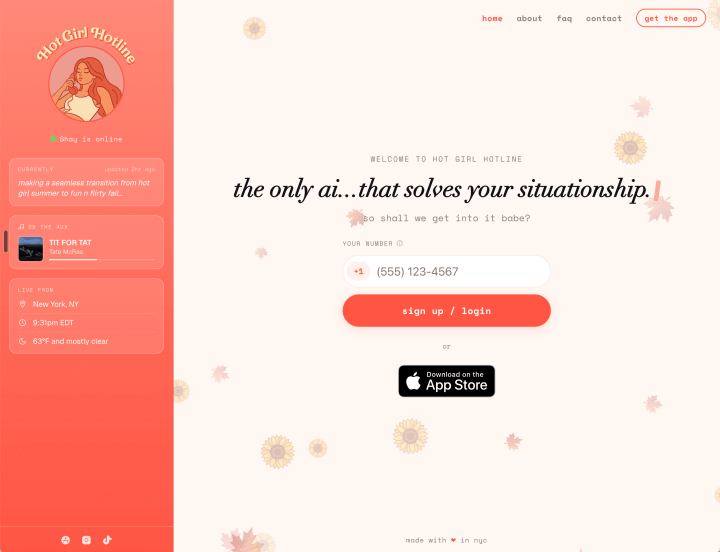
Hot Girl Hotline: AI Dating Advice for Young Women
AIAppsSocials

Hot Girl Hotline: AI Dating Advice for Young Women

Matilda Lucia, Techticia.com author avatar
Matilda
6 Min Read

Apple Music iPod: The Hidden Easter Egg You Can Play

Matilda Lucia, Techticia.com author avatar
Matilda
7 Min Read
//

Craving the latest tech news? Techticia delivers! Dive deep into insightful articles on everything from cutting-edge gadgets and AI advancements to reviews, consumer tips, and future tech trends. Techticia.com keeps you informed and connected to the ever-evolving world of technology.

Sign Up for Our Newsletter

Subscribe to our newsletter to get our newest articles instantly!

Techticia.comTechticia.com
Follow US
© 2026 Techticia.com. All Rights Reserved.
Stay Ahead with Techticia
Get the latest technology news, reviews, guides, and updates from Techticia delivered to your inbox.
By subscribing, you agree to our Privacy Policy. Unsubscribe at any time.
Welcome Back!

Sign in to your account

Username or Email Address
Password

Lost your password?